Where the Music Had to Go: How Bob Dylan and the Beatles Changed Each Other―and the World Jim Windolf
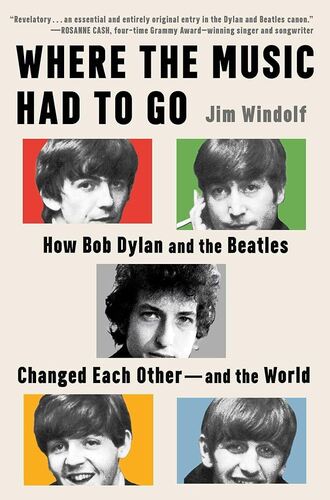
Few artists have shaped pop culture as profoundly as the Beatles and Bob Dylan. In Where the Music Had to Go, Jim Windolf offers a new, persuasive interpretation of how two of the twentieth century's greatest recording artists influenced one another - and reveals how their apprenticeships, accomplishments and legacies are uncannily intertwined.
From Dylan's early dismissal of the Beatles as being for 'teenyboppers' to his rapid acknowledgment of their talent, the book captures the pivotal moments that pushed Dylan to 'go electric' and inspired the Beatles to deepen their lyrics. Packed with vivid anecdotes (the Beatles rehearsing Dylan songs; Dylan spending hours at Lennon's childhood home), the book paints a picture of a relationship full of camaraderie, rivalry and mutual evolution.
Windolf's meticulous research uncovers hidden gems, peeling back layers of history to reveal the stories fans didn't even know they were missing. From Lennon's and McCartney's lyrical transformations to George Harrison's growth as a songwriter, the book showcases the ripple effects of the Beatles-Dylan connection. More than a music biography, this is a front-row seat to the forces that shaped the sound of a generation.
Few artists have shaped pop culture as profoundly as the Beatles and Bob Dylan. In Where the Music Had to Go, Jim Windolf offers a new, persuasive interpretation of how two of the twentieth century's greatest recording artists influenced one another - and reveals how their apprenticeships, accomplishments and legacies are uncannily intertwined.
From Dylan's early dismissal of the Beatles as being for 'teenyboppers' to his rapid acknowledgment of their talent, the book captures the pivotal moments that pushed Dylan to 'go electric' and inspired the Beatles to deepen their lyrics. Packed with vivid anecdotes (the Beatles rehearsing Dylan songs; Dylan spending hours at Lennon's childhood home), the book paints a picture of a relationship full of camaraderie, rivalry and mutual evolution.
Windolf's meticulous research uncovers hidden gems, peeling back layers of history to reveal the stories fans didn't even know they were missing. From Lennon's and McCartney's lyrical transformations to George Harrison's growth as a songwriter, the book showcases the ripple effects of the Beatles-Dylan connection. More than a music biography, this is a front-row seat to the forces that shaped the sound of a generation.