$14.99Original price was: $14.99.$4.99Current price is: $4.99.
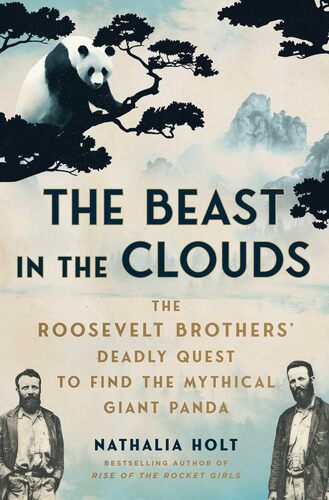
The Beast in the Clouds: The Roosevelt Brothers’ Deadly Quest to Find the Mythical Giant Panda Nathalia Holt
The Himalayas—a snowcapped mountain range that hides treacherous glacier crossings, raiders poised to attack unsuspecting travelers, and air so thin that even seasoned explorers die of oxygen deprivation. Yet among the dangers lies one of the most beautiful and fragile ecosystems in the world. During the 1920s, dozens of expeditions scoured the Chinese and Tibetan wilderness in search of the panda bear, a beast that many believed did not exist. When the two eldest sons of President Theodore Roosevelt sought the bear in 1928, they had little hope of success. Together with a team of scientists and naturalists, they accomplished what a decade of explorers could not, ultimately introducing the panda to the West. In the process, they documented a vanishing world and set off a new era of conservation biology. Along the way, the Roosevelt expedition faced an incredible series of hardships as they disappeared in a blizzard, were attacked by robbers, overcome by sickness and disease, and lost their food supply in the mountains. The explorers would emerge transformed, although not everyone would survive. Beast in the Clouds brings alive these extraordinary events in a potent nonfiction thriller featuring the indomitable Roosevelt family.
$14.99Original price was: $14.99.$4.99Current price is: $4.99.